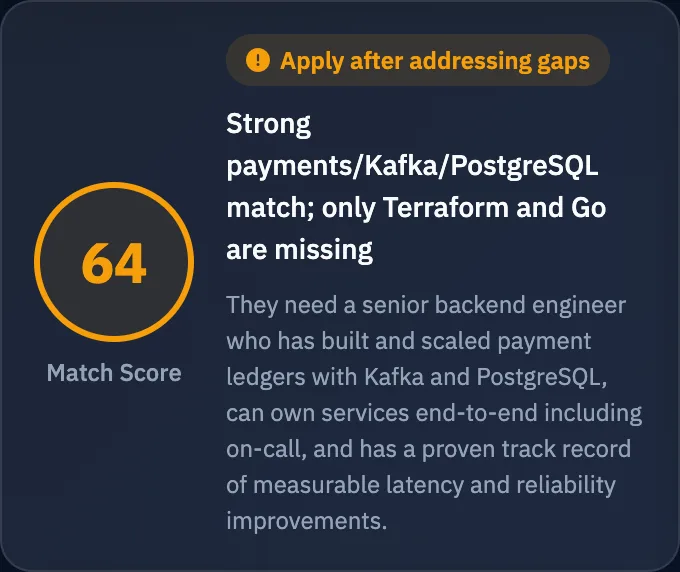
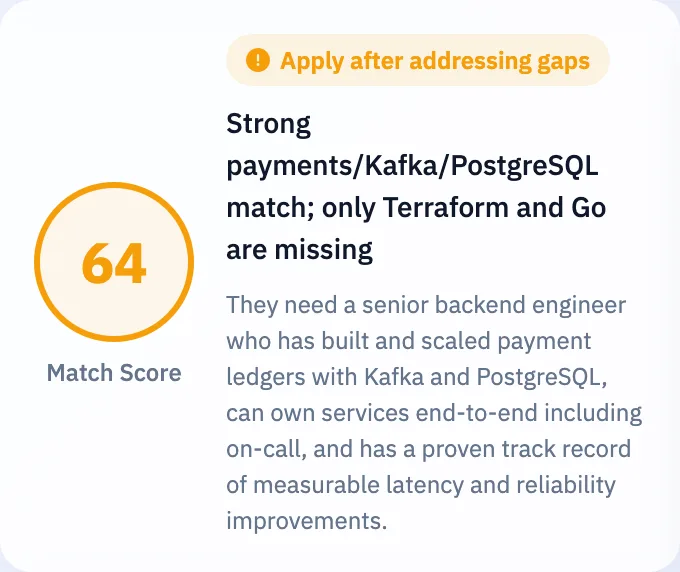
A clear call to apply or move on, with exactly where you fall short and how to fix it.
A resume built for this exact job
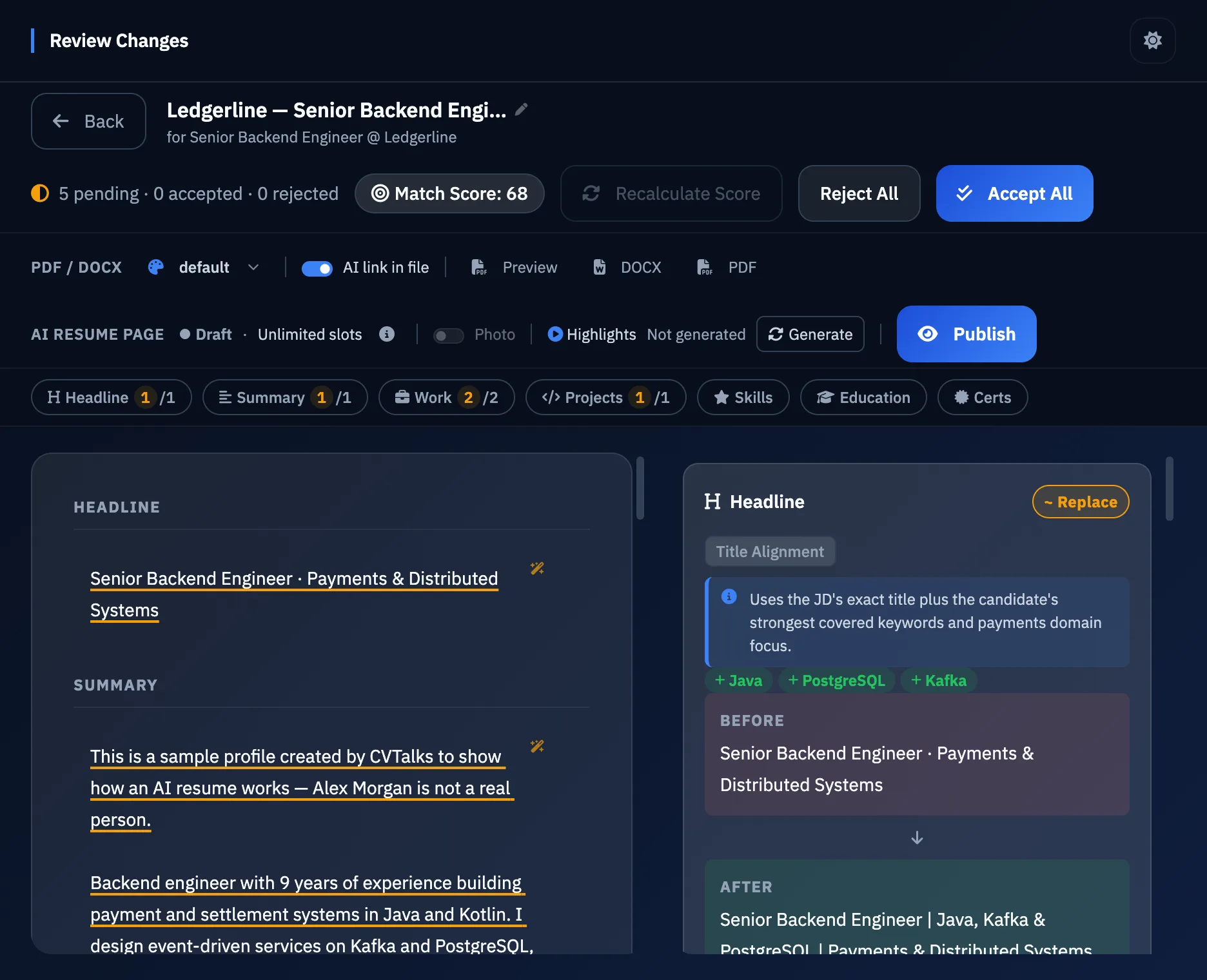
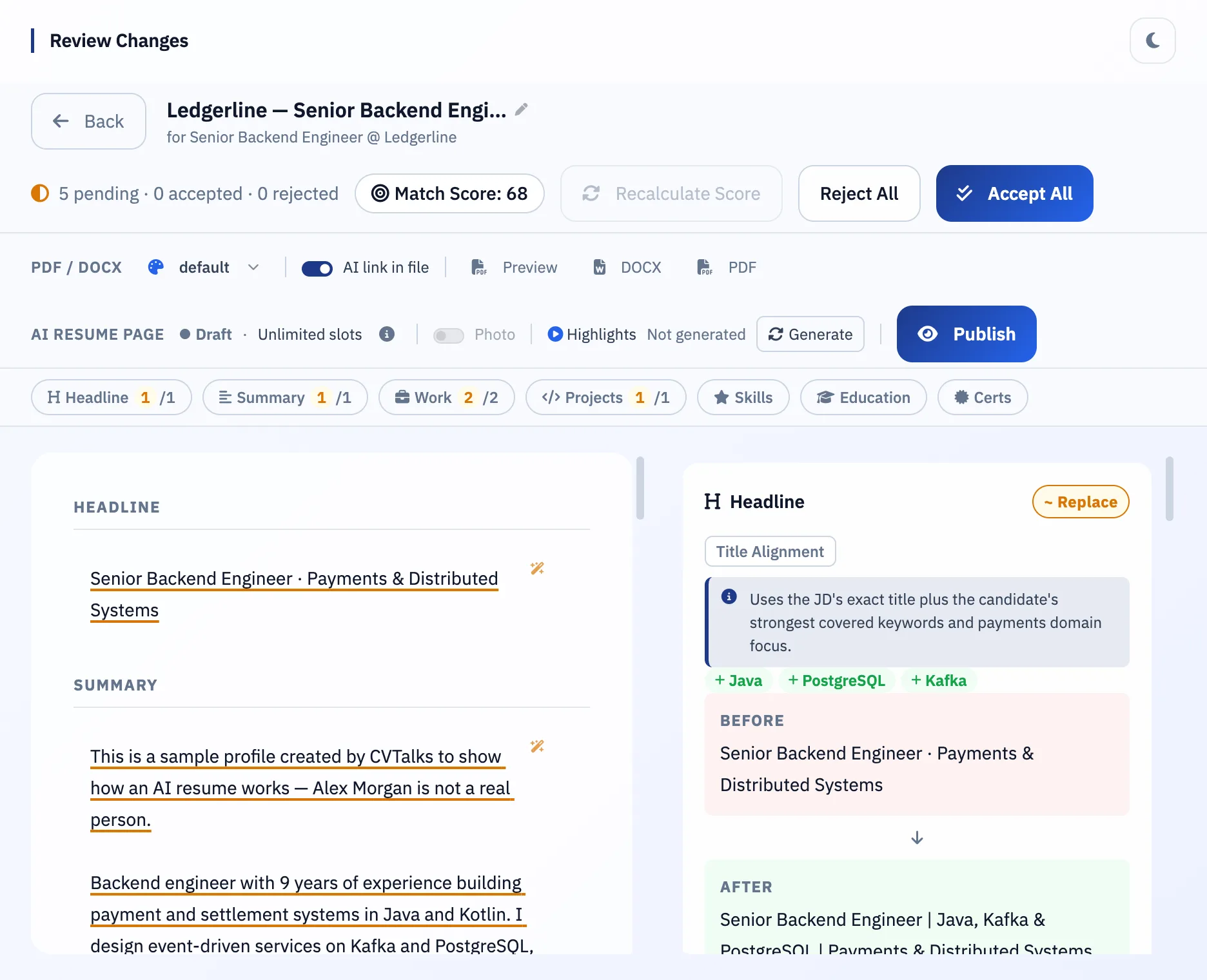
Rewritten around what the employer asks for, with the right keywords and an ATS-friendly file.
A cover letter and summary for this job
Written from your real experience, so every application reads as made for the role.
Applications, done faster
Our browser extension fills your contact details on application forms and keeps your resume beside the form to copy from. You review before you submit.
Recruiters' first questions, answered
Work authorization, notice period, location and your experience, answered any time from one link.
Know what to say in the interview
Likely questions for this job, with answer guides drawn from your real experience.
Plus everything else for this application
Know who's interestedFind out when a recruiter opens your AI resume, asks a question or comes back, and when to follow up.
Know the company before you talk to themWhat they do, how they work and how they're likely to interview.
Know if the pay is fair, and how to negotiateAn AI read on the salary, with tips based on your strengths.
A clean one- or two-page resumeFit to the length you want, without losing what matters for this job.
12 professional templatesFrom plain and ATS-friendly to bold designs.
Apply directly, with replies to your inboxYour resume and cover letter go straight to the recruiter.
A polished 60-second introductionYour "tell me about yourself", written from your resume for this job.
Everything stays true to your experienceNo invented skills or results. Missing numbers are left for you to fill in.
Every version answers what this employer is actually asking for.
Speaks the job's languageYour real experience, reworded around the skills and keywords in the job description.
Stays true to youEach edit traces back to your resume, with the reason it helps. You keep the final say.
Ready for the ATSSee your match score and leave with an ATS-friendly PDF or Word file.
One version for every jobEach application keeps its own resume, cover letter and interview prep.
Your cover letter and summary
Written for this job, from your real experience
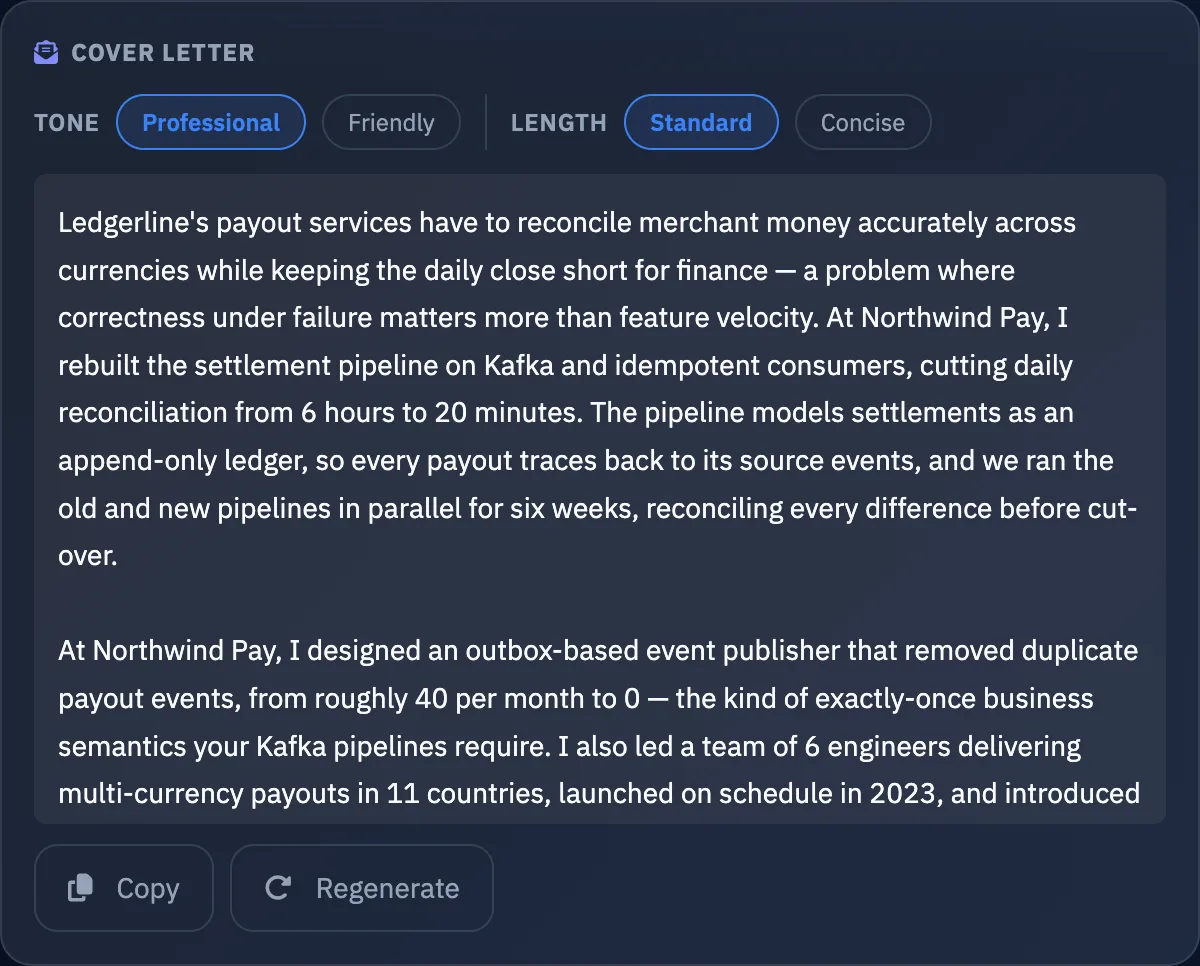
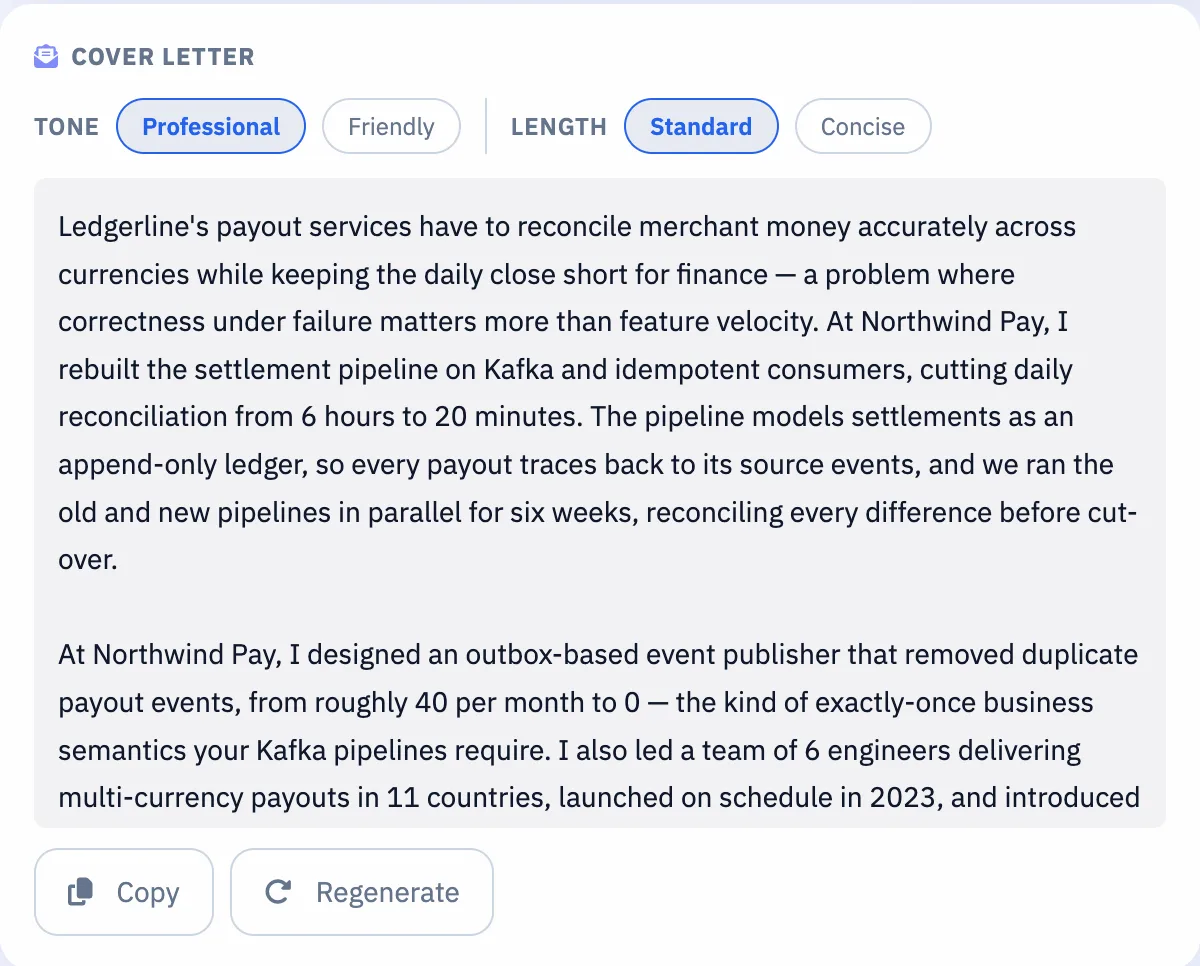
Open with what this employer needs, and back it up with what you've actually done.
Tied to this jobSpeaks to the company and the requirements in the job description.
Drawn from your resumeBuilt on the results you already have, not invented ones.
Your tone and lengthProfessional or friendly, standard or concise.
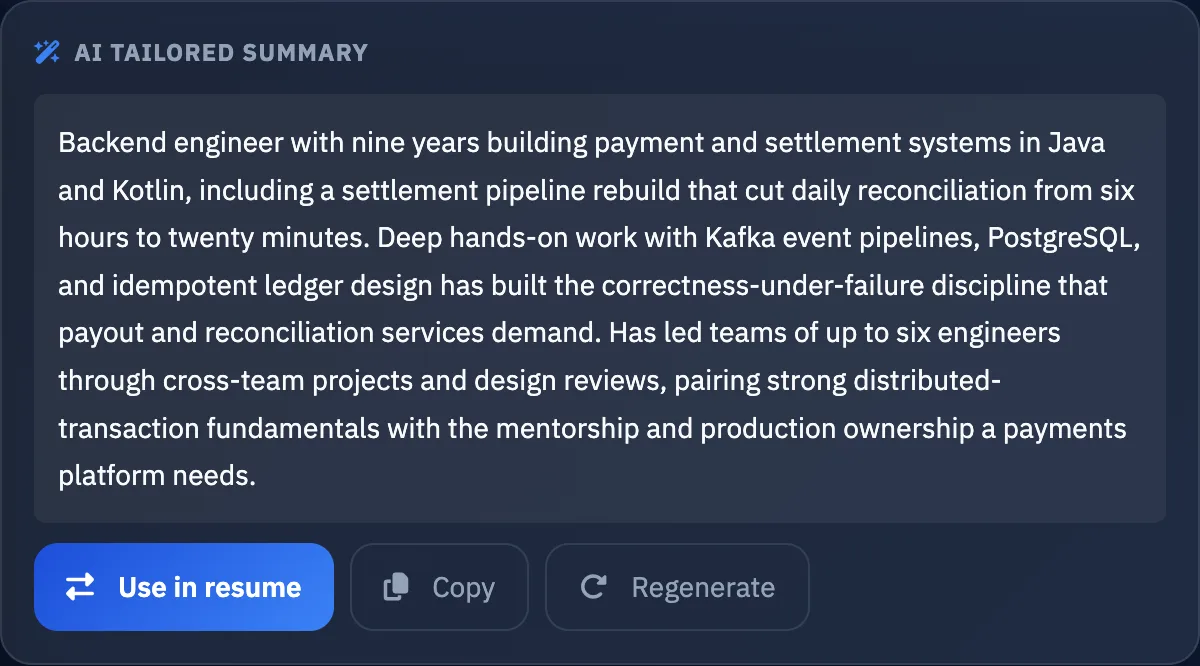
A summary that fits the roleGenerate a tailored summary and use it in your resume in one click.
Ledgerline and Alex Morgan are samples.
Your applications
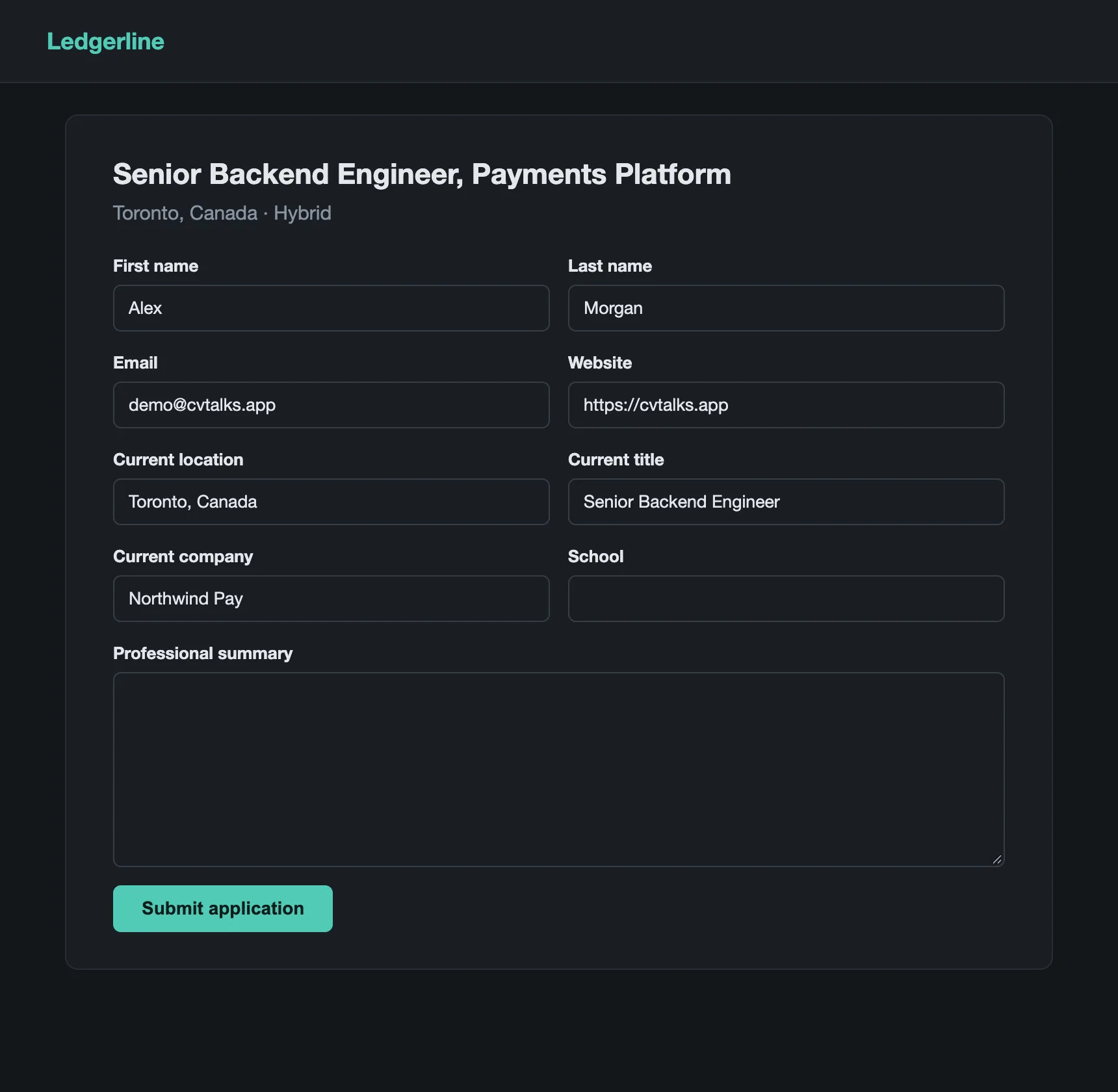
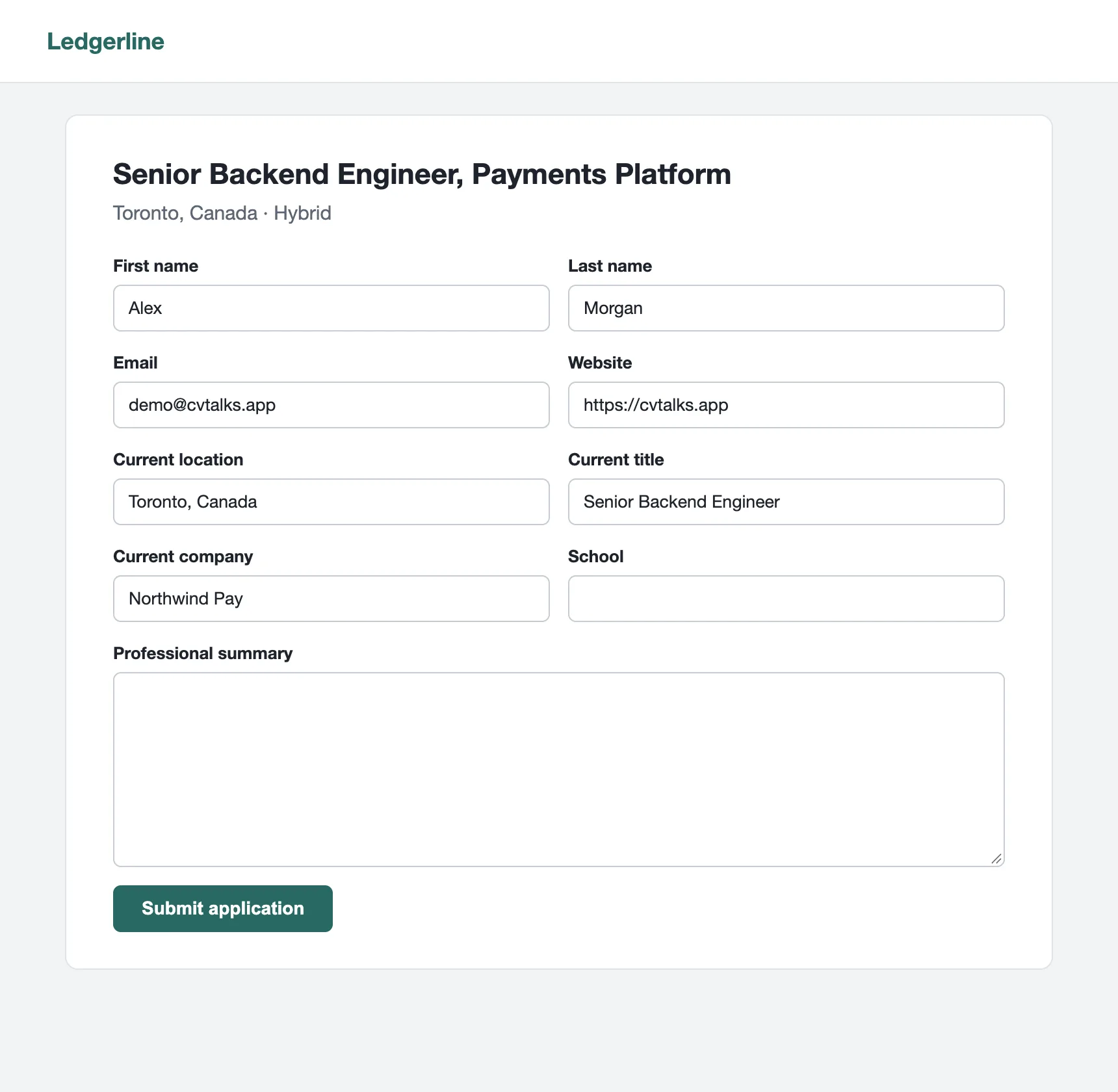
Applications, done faster
Stop retyping the same details for every application.
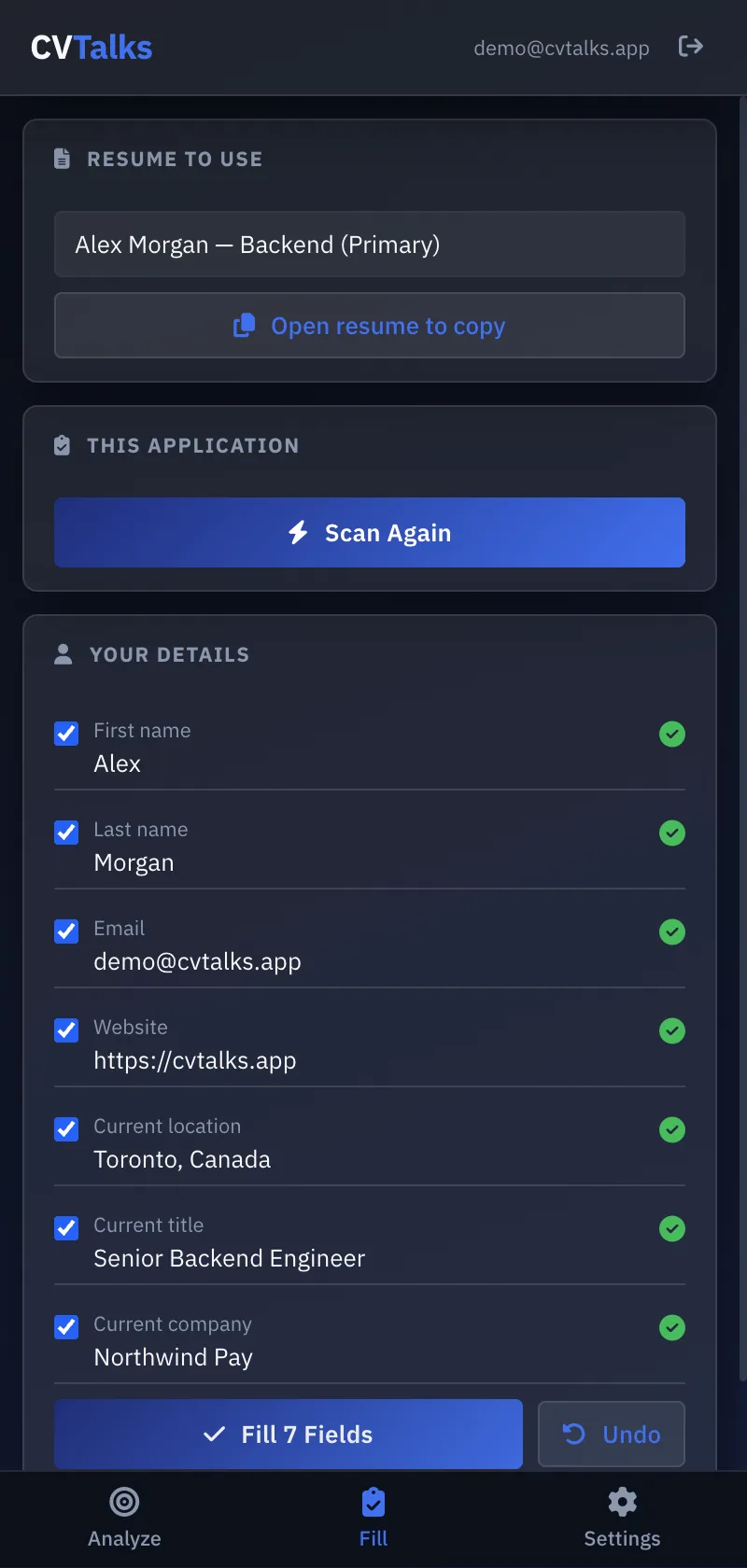
Your details in one clickName, email, phone, location, current role and links go in instantly, and you see which fields the page didn't accept.
Your resume beside the formCopy your summary, any role, project or school from the side panel, one block at a time.
Nothing changed behind your backFields that already have something in them are left alone, and Undo puts the form back. Dropdowns, consent and diversity questions stay yours.
Use the right versionChoose which resume to work from, including one tailored for this job.
Each field is checked after it's filledCheck it, attach your files and submit. Ledgerline and Alex Morgan are samples.
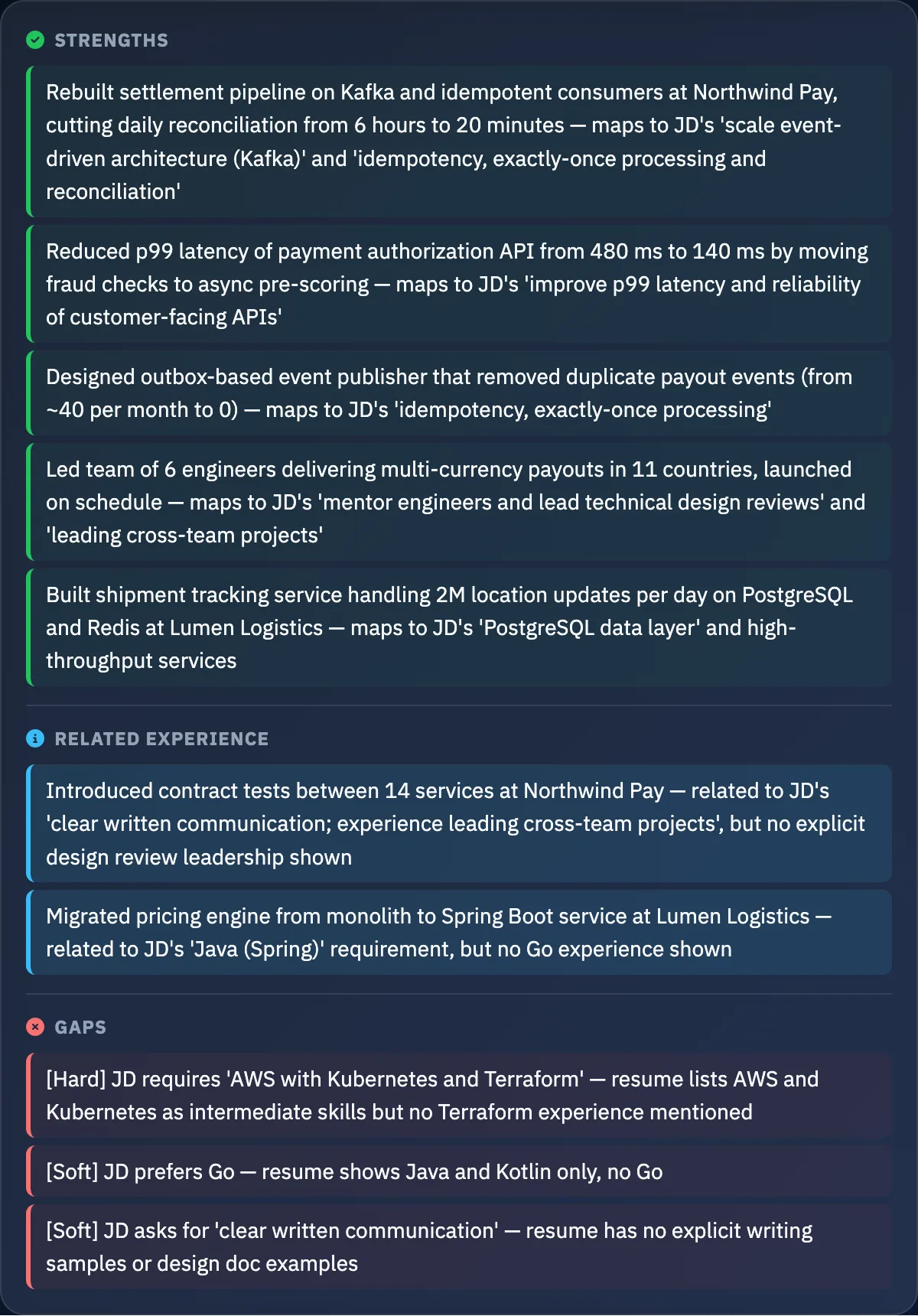
Your gaps for this job
Know where you stand before you apply
Stop guessing whether a job is a fit, and spend your time on the ones worth it.
A clear verdictApply now, apply after addressing gaps, or not recommended, with a match score behind it.
What already matchesYour strongest results, each tied to the requirement it answers.
What's missingThe requirements and keywords your resume doesn't show yet.
What to do about itSpecific fixes to make, and what to add if you have the experience.
Alex Morgan is a sample profile.
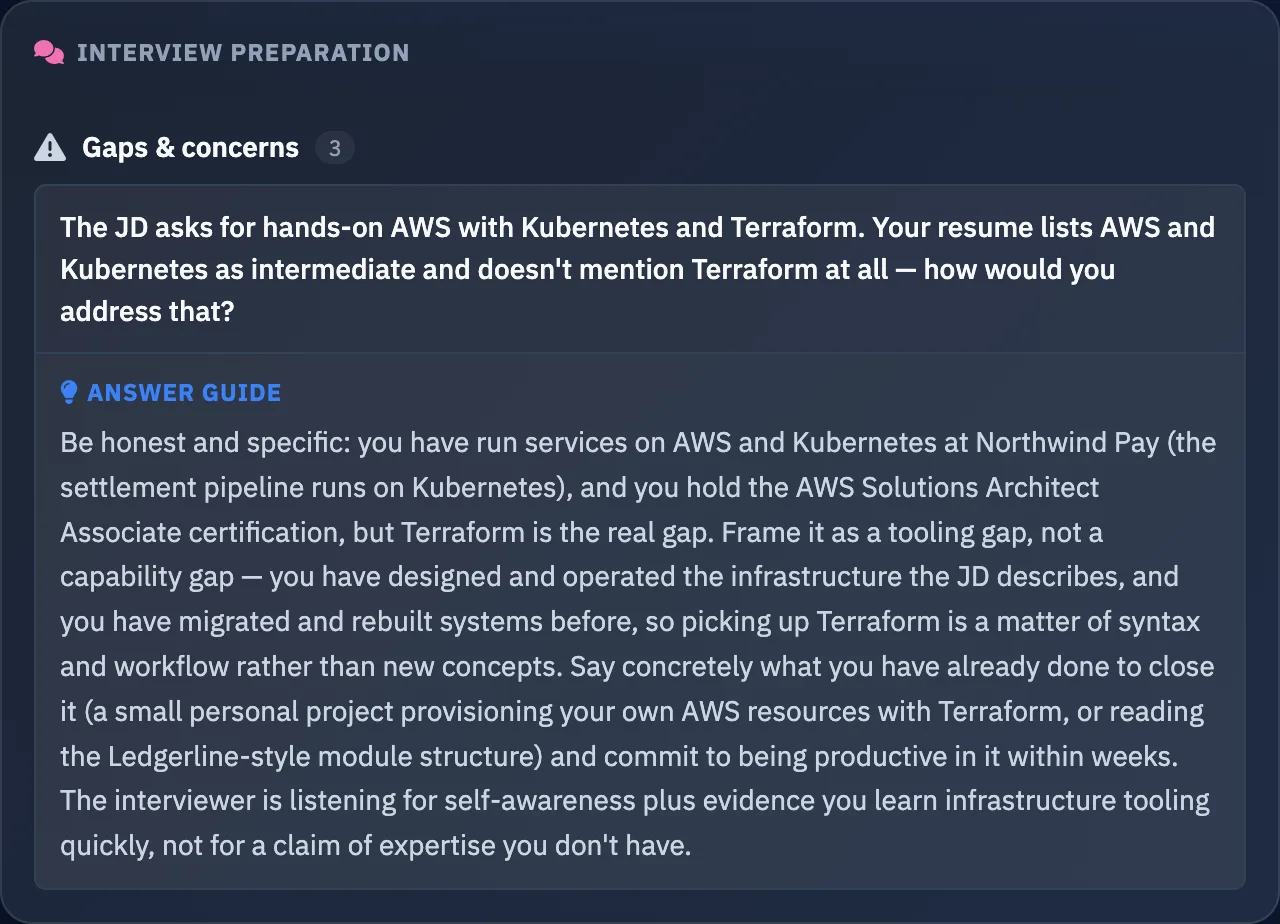
Your interview
Know what to say when they ask
Prepare for this job and this company, not a list of generic questions.
The questions you're likely to getRole and technical, behavioral, your resume, and why this company.
Answers from your real experienceGuides built on what's on your resume. Where it has no example, you're told what to prepare.
An honest way to handle your gapsWhat to say about a missing requirement, and what to emphasize instead.
Smart questions to ask themLeave a good impression at the end of the interview.
Your AI resume
Recruiters' first questions, answered
Work authorization, notice period, why you're looking. One link, any time, with no login and no download.
Your key facts up frontWork authorization, notice period, location and languages, right under your name. You choose what's shown.
Questions answered for youYour AI answers recruiters any time, using only what you wrote.
Your fit, shown instantlyA recruiter can check you against their job and get a match summary backed by your results.
Answer a question onceWhen your AI can't answer, you hear about it. Add your answer and every recruiter after that gets it.
cvtalks.app/u/your-nameExample
Alex Morgan
Senior Backend Engineer · Payments & Distributed Systems
Quick facts
Work authorization
Canada · No visa sponsorship needed
Availability
1 month's notice
Location
Toronto, Canada · UTC-5 (Eastern)
Work mode
Hybrid, Remote
Relocation
Open to relocation for the right role — Vancouver or the US West Coast
Employment type
Full-time
Languages
English (Fluent), French (Conversational)
Ask Alex Morgan's AI
Are you authorized to work in Canada, and what is your notice period?
I'm authorized to work in Canada and don't need visa sponsorship. My notice period is one month.
Why are you looking for a new role, and can you work hybrid?
The settlement rebuild is done and running smoothly. I'd like to work on a payments product earlier in its growth, where reliability work shapes the product rather than catching up with it. On work mode: I'm open to both hybrid and remote.
Answers generated by CVTalks from the sample profile of Alex Morgan. The live recruiter page has its own dark design.
After you apply
Know who's interested, and when to follow up
Every application you email or download from CVTalks carries its own private link to your AI resume.
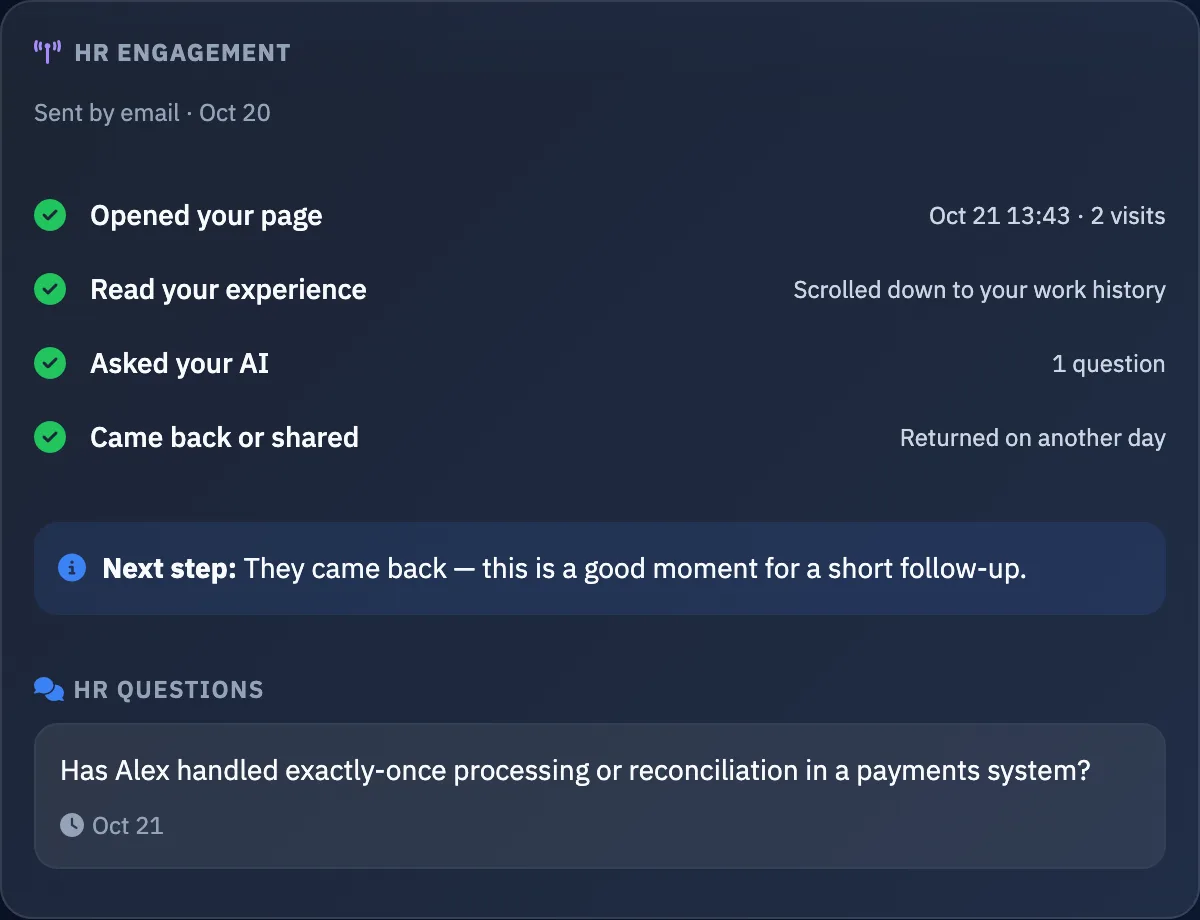
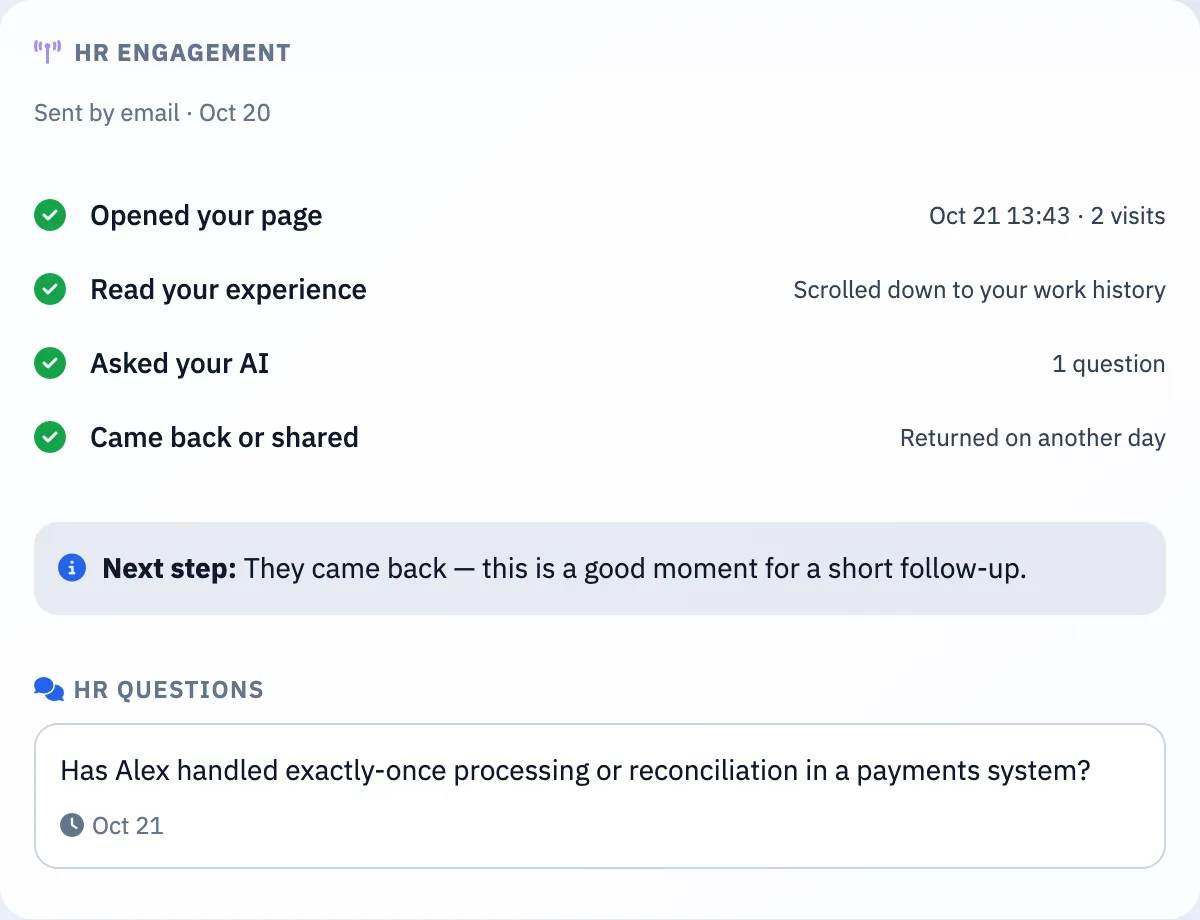
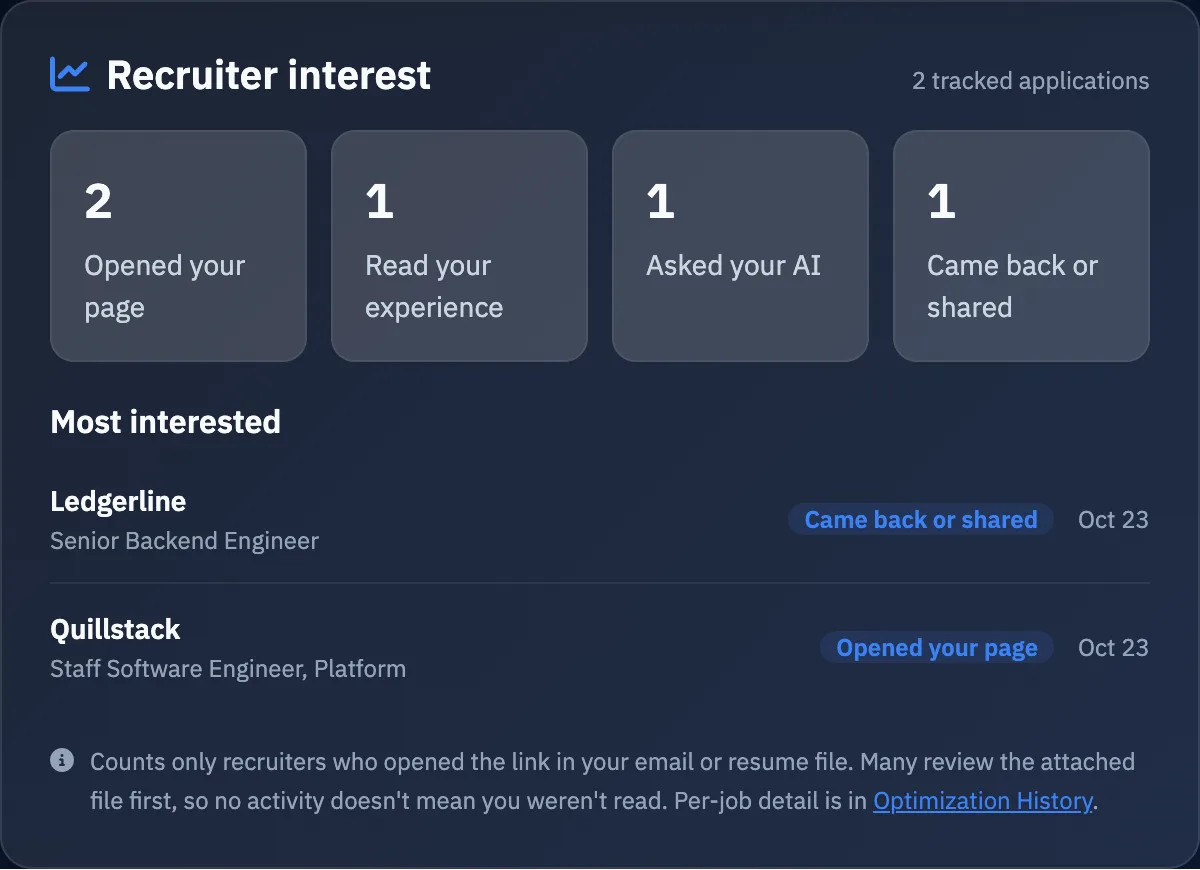
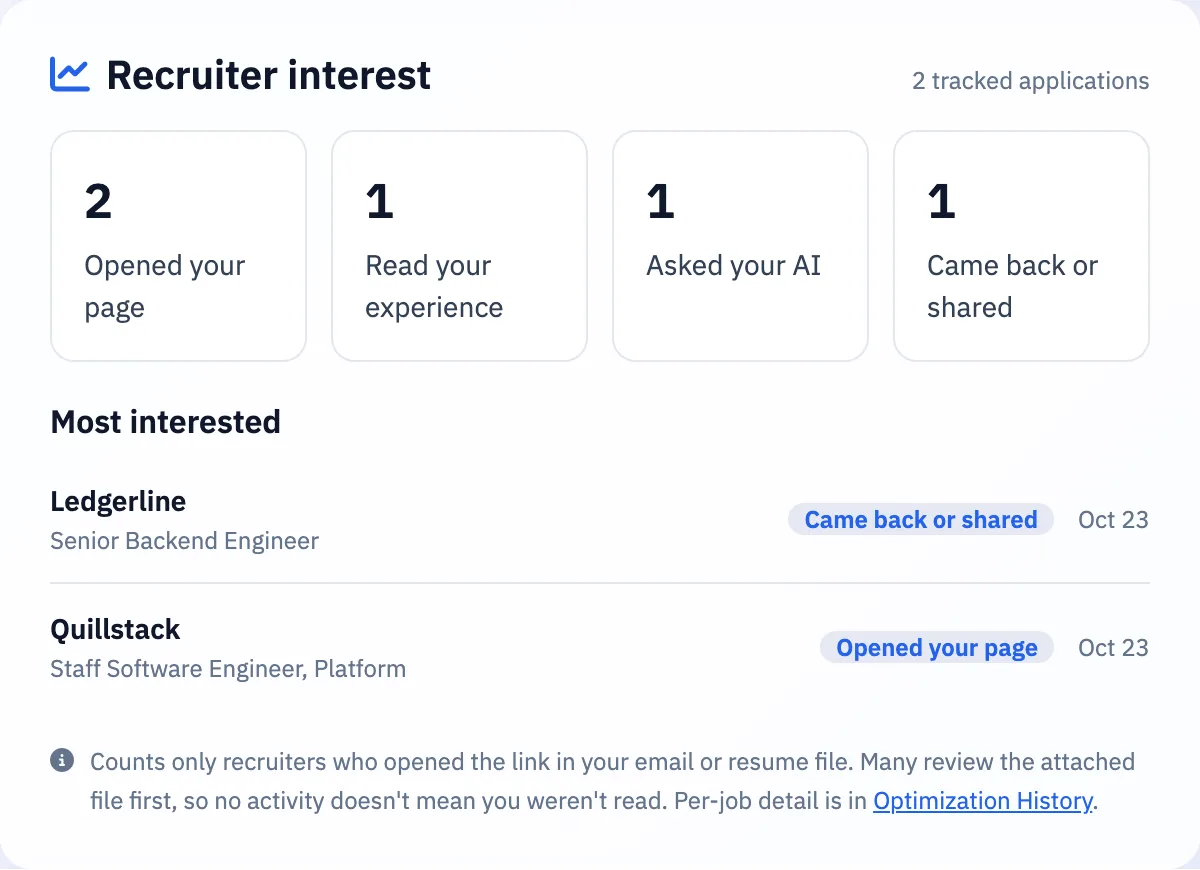
Signals, not guessesOpened your page, read your experience, asked your AI, came back or shared it with their team. Only what actually happened.
An email when it mattersHear about it the first time a recruiter asks your AI a question or comes back to your resume.
A next step for every jobThey came back? A good moment to follow up. A week of quiet? A short note often helps.
Many recruiters only open the attached file, so no activity doesn't mean you weren't read.
Your look
12 professional templates
Look right for the role, from plain and ATS-friendly to bold designs. Word downloads always use a plain ATS layout.
Modern Classic
Clean ATS
Ivy
Executive
Modern Sidebar
Right Rail
Tech
Timeline
Editorial
Soft Card
Color Block
Compact
Built to be trusted
It speaks for you, so it doesn't make things up
Only what's true about youNo invented numbers, skills, dates or reasons. If it isn't written down, the AI says to ask you.
Private stays privateTopics you mark private — salary is private by default — get a polite "let's discuss that directly".
Recruiters know it's an AIEvery chat says the AI answers on your behalf and can make mistakes, and points them to you for anything important.
Your data, your callUnpublish a page any time. Export everything as a file, or delete your account and all of its data.
Pricing
Every plan has every feature
Plans differ only in how many AI interactions you get and how many resume pages can be live at once. Recruiters' questions to your AI count too.
MonthlyQuarterlySave up to 14%
Free
$0
forever
50 AI interactions every 30 days
3 resume pages live at once
AI resume page with quick facts, highlights and recruiter chat
Interest signals and email alerts for every application
Job tailoring, gap analysis and interview prep, with PDF / Word download and sending from CVTalks
Need more AI interactions without changing plans? Add a credit pack — 100 for $5 or 500 for $19.
Credits never expire. The Pro+ trial bills automatically after 7 days unless you cancel. Prices in USD; cancel any time from your billing page.
FAQ
Questions people ask
Getting a version tailored to the job description, with your match score and gaps, once your resume is in CVTalks. Your first upload adds a quick check of the imported resume. How long you spend reviewing the suggested edits is up to you, and extras like interview prep are generated when you ask for them.
Nobody can honestly guarantee that: every employer's system and hiring team is different. What we do is show the keywords a job asks for that your resume is missing, work the ones you can back up into your resume, and give you an ATS-friendly file. Your match score is our own measure of how well your resume covers the job description. It isn't a score from any employer's ATS.
Each AI action uses one: a recruiter's question on your page, a job-description match, tailoring a resume, writing a summary or one category of interview questions. Filling in application forms with the extension doesn't use any. Your allowance resets every 30 days from the day you signed up. If it runs out, recruiters see your contact details instead of the chat, and we email you.
It's instructed to answer only from your resume and screening info, and to tell recruiters to ask you when the answer isn't there. AI can still make mistakes, which is why every chat tells recruiters to confirm important details with you. You can see every question asked and how it was answered.
The resume you publish — including any contact details you put on it — the screening facts you mark visible, and the AI chat. Private screening topics are never shown or used in answers. An unpublished version only opens through the private link in an application you sent.
Only through your AI resume link. Each application you email or download from CVTalks carries its own private link, and we show what happens on that page: opened, read your experience, asked your AI, came back. We don't put tracking pixels in emails, and we can't see whether someone read the attached file, so no activity doesn't mean you weren't read.
No. Your link opens straight away in any browser, on desktop or phone.
Yes. Tailor a version for each job and send it by email or download it — each application carries its own private link, so you can see which one a recruiter came from. Your plan sets how many versions can be public at once; private application links don't use a slot.
Yes, our browser extension saves job posts to CVTalks, fills your details on application forms and keeps your resume beside the form to copy from. Voice chat isn't available yet. Everything listed on this page works today.
Cancel from the Billing page; your plan stays active until the end of the period you paid for. Under Account → Your Data you can export everything as a file or permanently delete your account and all of its data.
Your next application can be ready in 2 minutes
A tailored resume, your gaps and how to answer the interview questions, all for the job you want.